Choose the price change that fits the job.
Use a percentage when products need the same relative adjustment, a fixed amount for a consistent increase or decrease, or a set value when every selected variant should have the same price. Price and compare-at price are separate fields; choose the one you intend to change.
Scroll sideways to see every column.
| Change | Setting | New price |
|---|---|---|
| Percentage reduction | Decrease by 20% | $48.00 |
| Percentage increase | Increase by 10% | $66.00 |
| Fixed reduction | Decrease by $5 | $55.00 |
| Fixed price | Set to $49 | $49.00 |
These are calculation examples, not screenshots of your store. The preview uses your actual variant values and store currency. Review every proposed change, especially when variants have different starting prices.
Changing the selling price alone does not automatically update the compare-at price. Use Run a sale when you want a reduction with the original selling price saved as the crossed-out reference.
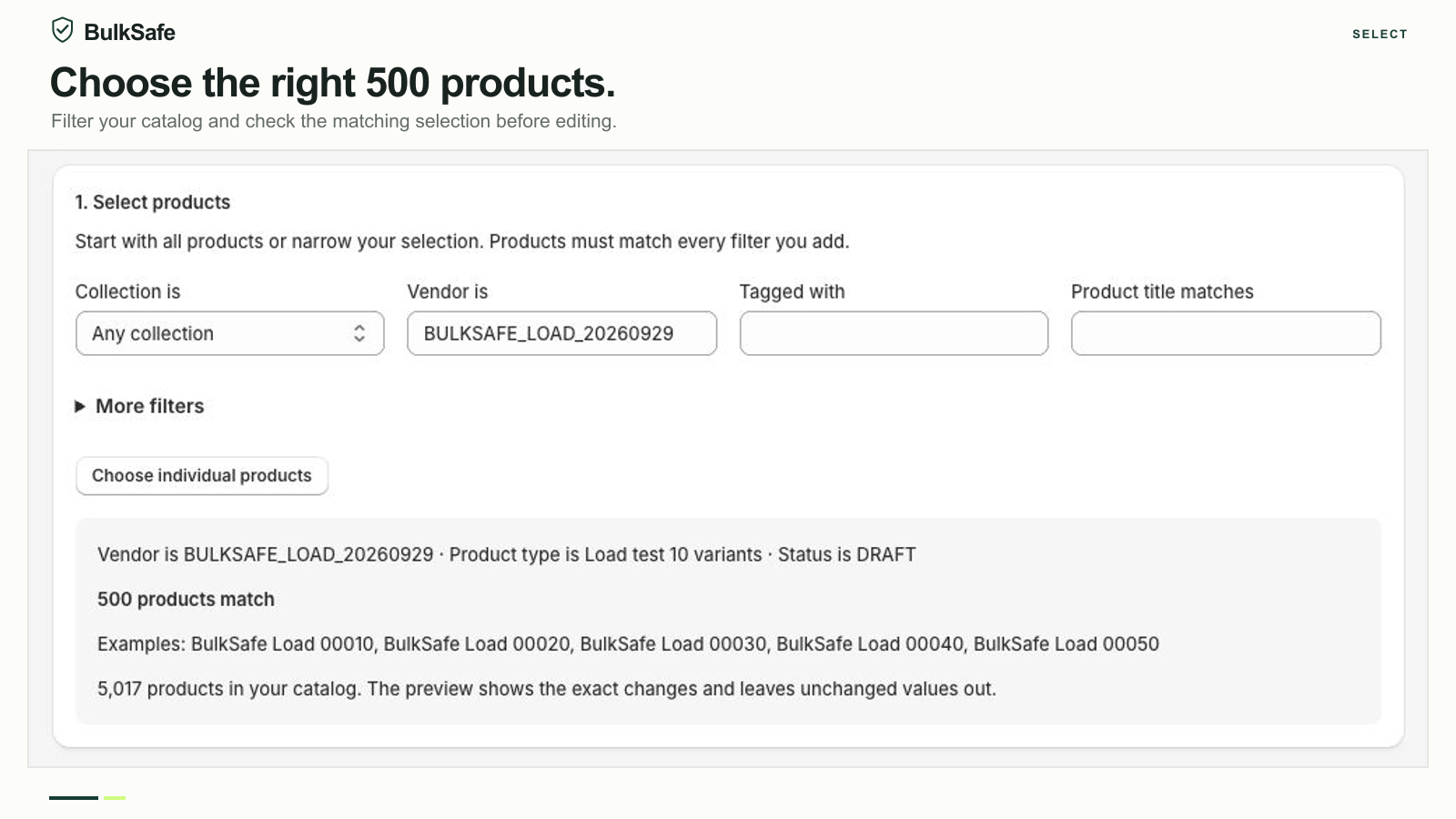
Select the products. Then check the difference.
- Choose your action. Open BulkSafe inside Shopify admin and choose a price edit or Run a sale.
- Narrow the selection. Filter by collection, vendor, tag, product type, status, title, price or SKU, or choose individual products. Combined filters narrow the selection; check the matching count before proceeding.
- Configure the change. Select the field, adjustment and amount. Give the operation a recognizable name so you can find it later.
- Preview changes. Review the affected products, variants, warnings and before-and-after values. Browse multiple pages for larger selections. Values that do not need to change are left out.
- Apply and inspect the result. Confirm only when the selection and values are correct. Check the result for successful changes, skipped items and anything needing attention.
Review both values before running a sale.
A promotion can affect two prices at once. With Show the original price crossed out enabled, Run a sale reduces the current selling price and uses that pre-sale selling price as the new compare-at value. An existing compare-at price is replaced.
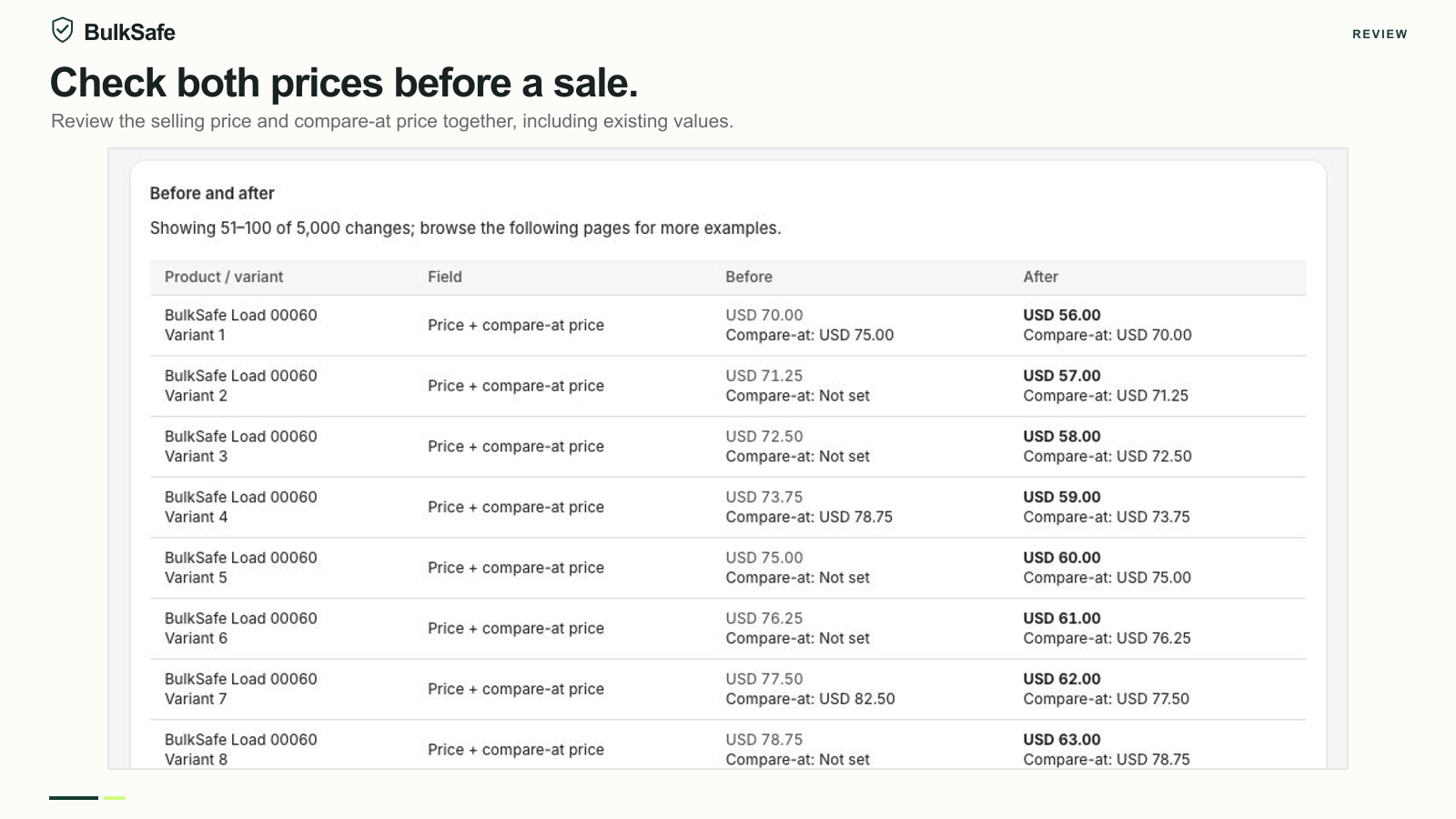
If your catalog already has discounts, do not assume the reduction starts from the compare-at value. It starts from the current selling price. Read the compare-at price and sale setup guide before changing an existing promotion.
After applying, open the result from History. Manual undo restores saved values for confirmed changes and reports detected conflicts. For a paired sale, it restores both saved price fields together.
Know the scope before your first edit.
BulkSafe edits prices in your store base currency. It does not edit separate Shopify Markets price lists, create discount codes or configure checkout discounts. The appearance of a crossed-out price depends on your theme and market settings.
The Free plan supports 10 changed products per operation, Basic 500 and Pro 5,000. Each product counts once, including its variants. An operation also has a technical ceiling of 50,000 variant or field changes; a paired sale counts once per variant. See plans and worked limit examples.
Start with a small, known selection. Coordinate with teammates and other apps that change prices, and inspect a few affected variants in Shopify after applying. A partial result needs review; avoid rerunning the same percentage change across products that already changed.
Need a group to target repeatedly? Learn how to organize product selections with tags.
Try a small edit first.
Start with the free plan. Review your preview, apply the change and find the result in History.
Install on Shopify Need help? Contact support