Compare Free, Basic and Pro.
Scroll sideways to see every column.
| Included | Free | Basic | Pro |
|---|---|---|---|
| Monthly price | Free | $9.99 USD | $19.99 USD |
| Changed products per operation | 10 | 500 | 5,000 |
| Before-and-after previews | Included | Included | Included |
| Filters and product selection | Included | Included | Included |
| History and manual undo | Included | Included | Included |
| Monthly edit quota | None | None | None |
| Scheduled edits | Not included | Included | Included |
| Scheduled automatic restoration | Not included | Not included | Included |
Free is a useful place to verify the workflow on a small selection. Basic adds room for up to 500 changed products and scheduled edits. Pro supports up to 5,000 changed products and adds scheduled automatic restoration.
Review the current plans and approve any paid subscription on the BulkSafe Shopify App Store listing. There are no automatic overage fees.
One product counts once, including its variants.
The plan limit counts distinct products with a proposed change in a single operation. It does not count every variant as another product, and unchanged products do not use that operation allowance.
Scroll sideways to see every column.
| Selection and change | Plan count | What to check |
|---|---|---|
| 8 products with 12 variants each; all need a price change | 8 products | Fits Free (10 products per operation) |
| 500 products with 10 variants each; all need a sale | 500 products | Fits Basic; 5,000 paired sale changes |
| 5,000 products with 20 variants each; all variants change | 5,000 products | Product count fits Pro, but 100,000 variant changes exceed the 50,000 ceiling; split the operation |
| 100 selected products; only 6 need the new tag | 6 products | Preview confirms the products that actually change |
No monthly quota means the product allowance resets for each operation, not that a single operation can contain an unlimited number of products. Manual undo is included and does not require buying a separate restoration allowance.
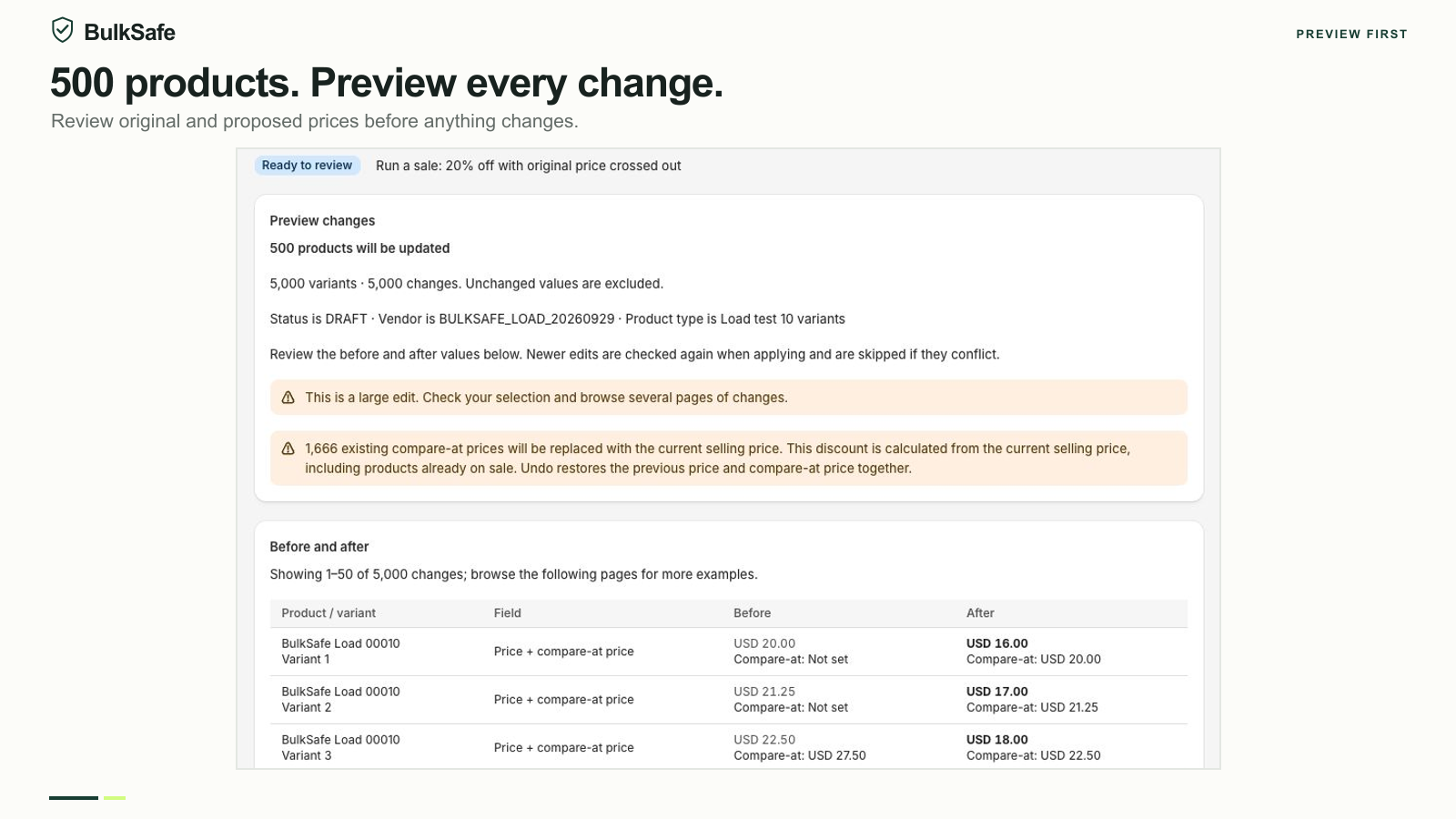
The same core workflow on every plan.
BulkSafe supports prices, compare-at prices, product tags, status, vendors and product types. Find and replace supports product titles, vendors and product types. You select products, configure one action, preview, apply and inspect the saved result.
All plans include manual undo for confirmed saved changes. Deleted items and detected newer edits can prevent restoration. History must still be available; the app is not a full-store backup.
Inventory, metafields, descriptions, CSV imports and separate Shopify Markets price lists are outside the current scope. Prices use your store base currency. If you need those other capabilities, upgrading BulkSafe does not add them.
Approve billing in Shopify. Plan time to verify scheduled edits.
Paid subscriptions are approved and billed through Shopify. Confirm the applicable charge on the Shopify approval screen and manage the subscription through Shopify. This page describes USD plan prices; Shopify handles the billing process.
Basic and Pro include scheduling. Pro also includes automatic restoration after a sale. Scheduled operations use the selection saved in the preview; they do not automatically include newly matching products. Execution time depends on catalog size and Shopify availability.
Uninstalling stops pending edits and restorations without reverting changes already made. Run any desired undo first. For help choosing a plan or understanding a limit, contact BulkSafe support.
Try a small edit first.
Start with the free plan. Review your preview, apply the change and find the result in History.
Install on Shopify Need help? Contact support